From Python Basics to My Own Django Server: How I Built and Self-Hosted My Website
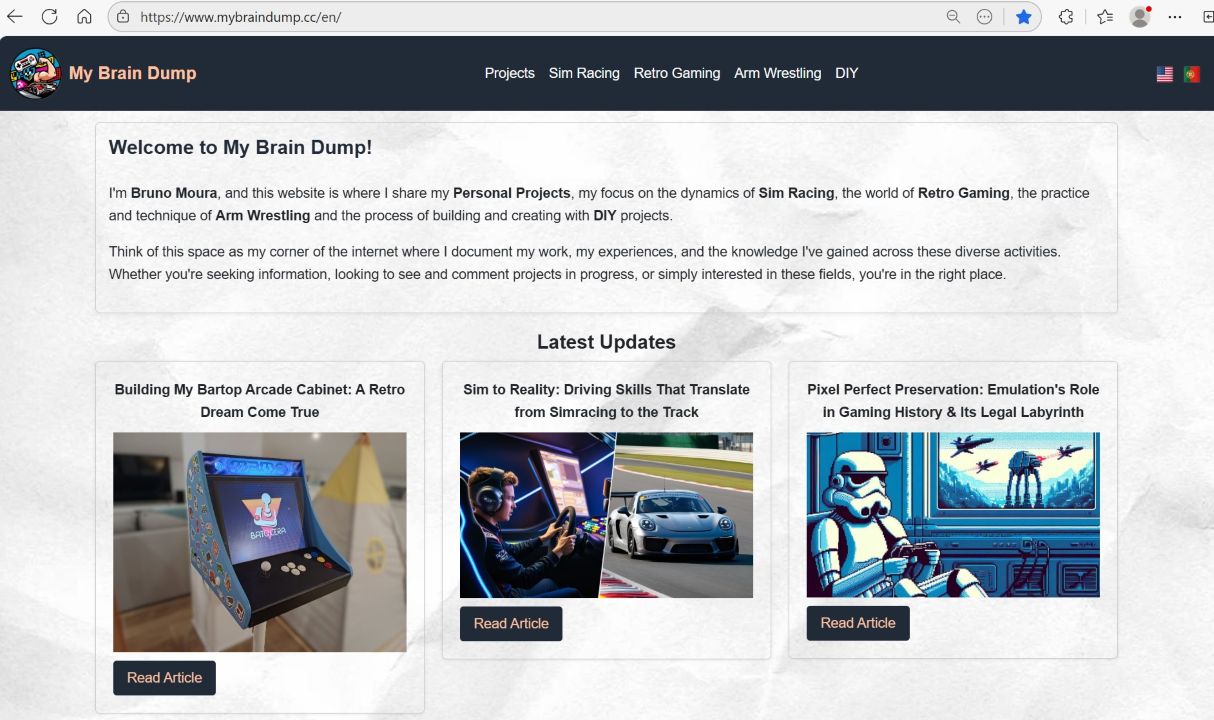
Alright, so let me tell you the story of this glorious Django website I somehow managed to build without accidentally blowing up my server or setting my house on fire. For years I wanted a place to dump all my projects, DIY builds, experiments, whatever nonsense I get into. But instead of throwing it all on social media like everybody else, I got it into my head that I should build my own website. From scratch. Like a lunatic.
And the whole thing really started because I took a damn Python fundamentals course on Udemy. One beginner class. Suddenly I'm making use of my past knowledge and spinning up virtual machines, messing with Linux, and pretending I’m some kind of system administrator (hint, I am...). What started as “print(‘Hello World’)” somehow escalated into a self-hosted Django site running on an ESXi VM, protected by Cloudflare Tunnel, sitting on Ubuntu 24.04, with a generous dose of AI babysitting me through every panic attack.
Learning the Fundamentals
Look, the course covered the usual stuff, variables, loops, functions, and I thought, “Cool, maybe I’ll automate renaming files or something.” Next thing I know, I’m building loan calculators, poking Raspberry Pi GPIO pins with Flask, and then meeting Django like it’s the boss battle of Python frameworks.
Django promised structure, clarity, and a sense that maybe, just maybe, I wouldn’t break everything every five minutes. So yeah, that became the plan: build my own website, the hard way, from the ground up.
Planning the Project
I wasn’t about to spin up some WordPress site like a normal person. No, no, I wanted to better learn how all the plumbing works. Web servers, configs, firewalls, the whole enchilada. I basically decided to become my own home IT department overnight.
My goals looked something like this:
- Actually learn stuff: no copy-paste zombies
- Self-host everything: because suffering builds character
- Spend almost no money: but still pretend I’m a professional
- Make it secure: Cloudflare Tunnel = “no router ports for you!”
- Use AI: because without it I’d still be stuck on step one
Tech Stack
- Django: the spine of this whole thing
- SQLite: because I’m not running Amazon over here
- HTML + Tailwind: clean, simple, and makes me look like I know UI
- Ubuntu 24.04 Server: command line only, baby
- Gunicorn + Nginx: the bouncer and bartender of the website
- Cloudflare Tunnel: the “don’t worry about your ISP” button
Setting Up the Server Environment
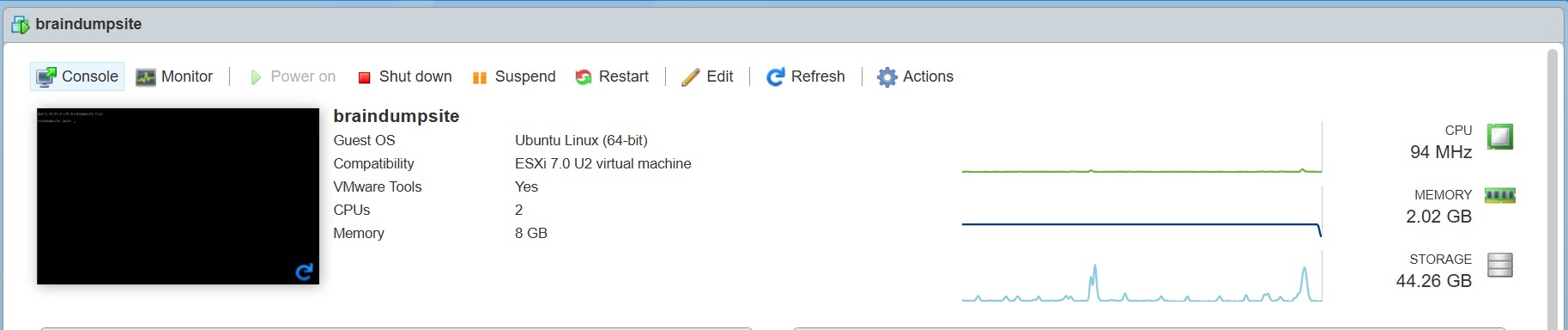
Since I already had ESXi 7 running on my home server, I figured, “Why not shove another VM on here?” It’s stable, fast, and makes me feel like I own a tiny, janky datacenter.
The VM setup:
- Hypervisor: ESXi 7
- OS: Ubuntu Server 24.04
- Specs: 2 vCPU, 8GB RAM, 60GB SSD
- Network: Cloudflare Tunnel, zero ports exposed like a responsible adult
Ubuntu install was smooth, well, as smooth as something can be when you spend half the time googling command options. But once SSH was up, I felt unstoppable.
Installing Django and Building the Site
Once I had Python set up, I threw Django into a virtual environment and got to work. None of that big-boy database stuff yet, SQLite does the job and doesn’t complain.
The build steps:
1. django-admin startproject, the moment things got real
2. Created models, views, pages, all the website guts
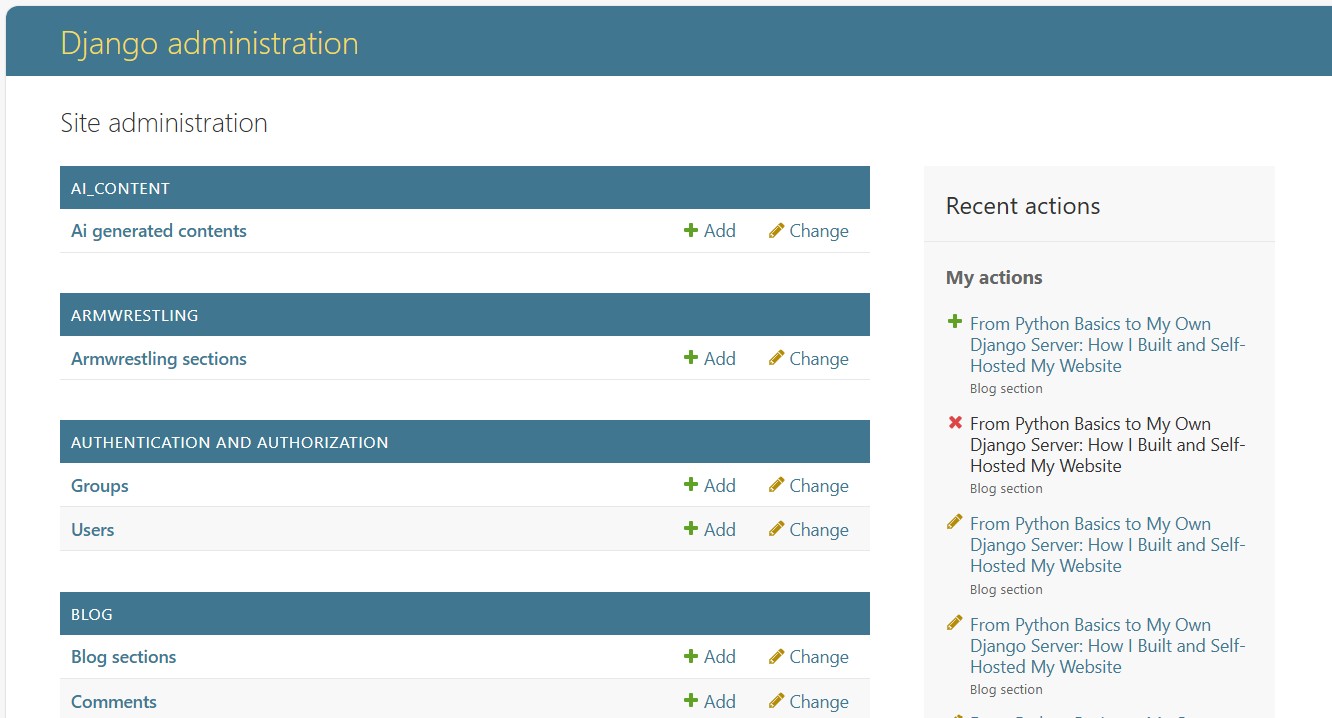
3. Enabled the legendary Django Admin, absolute game-changer
4. Configured static and media handling, after yelling at it for an hour
AI helped the whole way, like a calm supervisor watching a toddler play with power tools.
Connecting It to the Internet
Here’s where things got magical. Instead of opening router ports (aka the “hack me please” strategy), I used Cloudflare Tunnel. And suddenly my site was live, secure, and not screaming into the void.
The process:
1. Installed cloudflared
2. Hooked it to my domain through Cloudflare
3. Made the tunnel config
4. Pointed it at Django
5. Boom, SSL for free, baby
To my complete shock: it worked.
Content and Features
With the backend sorted, I built out sections based on all my hobbies, because if there’s anything I have too many of, it’s hobbies.
Site sections:
- Personal Projects: the stuff I actually finish
- Sim Racing: the excuse I use to buy more gear
- Retro Gaming: because pixels > realism
- Arm Wrestling: don’t ask, just roll with it
- DIY: everything from woodworking to “what if I wired this wrong?”
All managed through Django’s admin panel, which is honestly cheating with how good it is.
Lessons Learned
This whole thing turned into a crash course in basically everything: coding, servers, networking, security, debugging, and staying calm when you break your own website at 2 a.m.
Key takeaways:
- AI is the MVP: saved me from myself more than once
- SQLite: is way better than people admit
- Cloudflare Tunnel: makes self-hosting actually sane
- ESXi Snapshots: are literal guardian angels
- Django Admin: is the best thing since sliced bread
Next steps? Probably switching to PostgreSQL, maybe Docker, maybe a monitoring dashboard for a more professional look.
Conclusion
Building and hosting this Django site became way more than a coding exercise. It turned into this full-blown adventure in self-sufficiency. What started with a random Udemy Python course is now a fully functional website, running on Ubuntu 24.04, tucked safely behind Cloudflare, managed by me, and powered by a little curiosity and a whole lot of AI guidance.
It’s my own corner of the internet. Built by hand. Cursed at frequently. And I wouldn’t have it any other way.
Comments
No comments yet. Be the first to comment!
Leave a comment